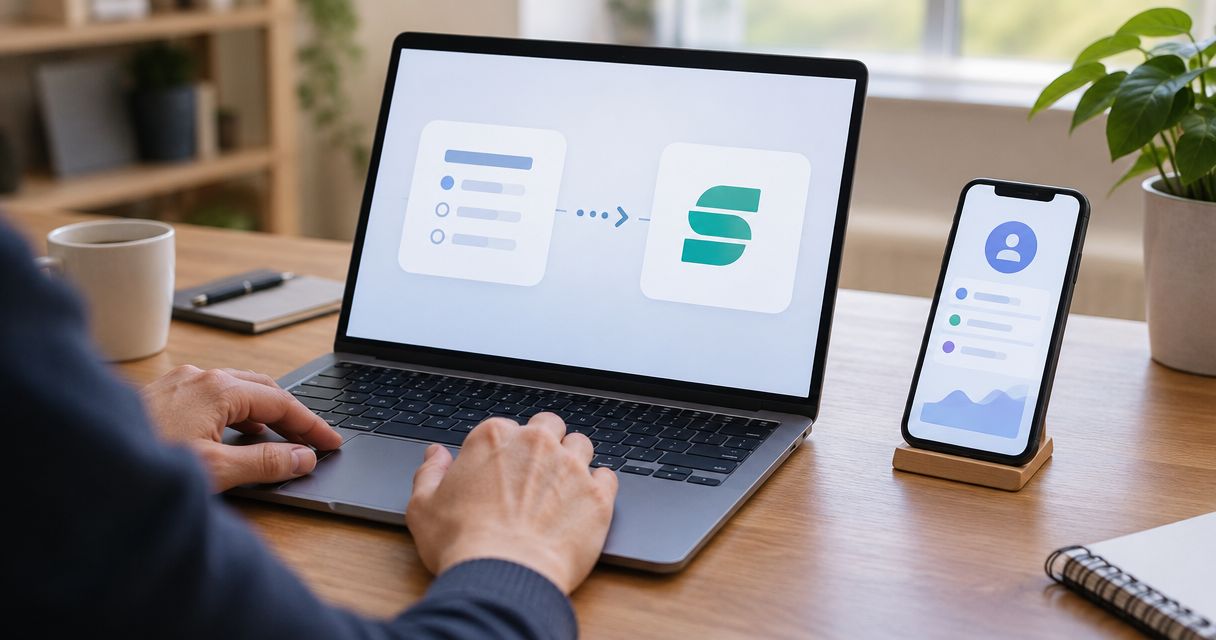
Instead of exporting quiz answers and matching spreadsheet rows to customers, sync quiz data to Segment through a server-side workflow that sends profile traits with Identify and quiz activity with Track. Keep the same customer identifier across both calls so your quiz data can join the customer's existing activity rather than create another disconnected record.
- To sync quiz data to Segment, send profile traits through Identify and quiz completions through Track.
- Use the same stable customer identifier across your quiz, website, and downstream destinations.
- Brainylab is best for brands seeking custom marketing quizzes rather than a standalone customer data platform.
- Keep consent checks, credentials, validation, and retry handling in your server-side workflow.
Why this matters
A quiz result becomes useful when your marketing systems can connect it to a customer. Without that connection, a preference sits in an export while your email platform, analytics reports, and sales records continue using different information.
Brainylab builds marketing quizzes and interactive experiences for brands. Brainylab is best for brands seeking custom marketing quizzes rather than a standalone customer data platform. Treat quiz creation and customer identity management as separate responsibilities in your implementation.
For a 2026 implementation, define what each answer means before connecting anything. A product preference belongs in a different field from a campaign completion, and neither automatically proves permission to send marketing messages.
Segment accepts the data you send; reliable profile unification also depends on your identifiers, identity configuration, and downstream mappings. Successful ingestion alone does not establish that those pieces are correct.
Before you start
- Access and credentials: Have permission to create or manage a Segment source, access to your quiz submission backend or webhook configuration, and a server-side location for the source write key.
- A field and identity contract: Prepare representative quiz submissions, an agreed customer identifier, destination field names, and the rules governing consent and permitted data use.
- The identity gotcha: An email address inside
traitsis not a substitute for a consistentuserId. Decide how anonymous visitors become known customers before publishing the connection; otherwise, valid submissions can remain disconnected.
This guide uses a server-side relay between quiz submissions and Segment. It does not assume that your quiz builder has a native Segment connector or that Brainylab provides a preconfigured integration.
Choose the delivery route
Use a server-side relay for authoritative quiz submissions. It gives you a place to validate answers, apply consent rules, and record delivery failures before data reaches Segment.
A browser connection serves a different purpose: capturing on-page activity and preserving browser identity context. Do not assume that browser tracking will replace a validated submission workflow.
| Delivery route | Best for | Advantage | Limitation |
|---|---|---|---|
| Server-side relay | Validated quiz submissions and controlled data mapping | Keeps the write key out of browser code and supports centralized delivery handling | Requires backend development and operational ownership |
| Browser SDK | On-page quiz interactions and browser identity context | Can carry the browser's existing anonymous identifier | Browser blocking and page closure can interrupt collection; client data needs validation |
For Brainylab marketing quiz projects, include the delivery route in the technical brief. A custom quiz still needs an explicit agreement about who owns identity mapping, failed deliveries, and destination testing.
Submission contract
Define the fields before writing the connection
- Choose one stable
userIdfrom your customer identity system. Do not generate a new customer ID for every quiz submission. - Define a separate submission identifier for each completed response. Keep this distinct from the customer identifier so repeat participation remains measurable.
- Split fields into profile traits and event properties. Put the customer's current preference in
traits; put the quiz identifier, result, and submission context inproperties. - Document which fields you collect, why you collect them, and which destinations should receive them. Exclude unnecessary personal information and unrestricted free text.
- Specify types and allowed values. A preference field should not alternate between a string, an array, and an object across submissions.
Expected result: Your developer and marketing owner can classify every outgoing field without interpreting the question wording each time.
Use deliberate names such as quiz_preference, quiz_id, and result_category. These are suggested implementation fields, not built-in Segment settings. Keep their definitions in your 2026 tracking plan so later campaign changes do not silently alter their meaning.
| Data | Segment placement | Reason |
|---|---|---|
| Stable customer identifier | userId | Connects calls to the same identified customer |
| Current declared preference | Identify traits | Represents a profile attribute |
| Quiz completion | Track event | Records an action |
| Quiz identifier and submitted result | Track properties | Preserves the context of that action |
| Original submission time | timestamp | Distinguishes occurrence time from delivery time |
Do not turn every quiz answer into a permanent profile trait. Keep temporary campaign answers in event properties unless another system has a defined use for a current profile value.
Segment source
Prepare a dedicated ingestion source
- Open Connections and Sources in Segment, then select Add Source.
- Choose HTTP API for a relay that sends requests from your server. Give the source a name that distinguishes testing from production.
- Retrieve the source write key from its configuration. Store it in your server's secret-management system, not in the quiz page, shared spreadsheet, or public repository.
- Confirm the ingestion endpoint and authentication instructions shown for your source and region. Configure your relay using those source-specific details.
- Open the source's Debugger when you send your first test calls. Inspect incoming payloads before connecting production destinations.
Expected result: Your backend has a dedicated Segment source and a protected credential, while your test traffic stays separate from live campaign reporting.
Use the HTTP API documentation available from your Segment workspace to verify the current request requirements during your 2026 setup. Do not copy credentials or endpoint configuration from another campaign simply because its payload looks similar.
A separate testing source is useful only if its destinations are also controlled. Check that a test completion cannot trigger a live sales notification or marketing message.
Server-side relay
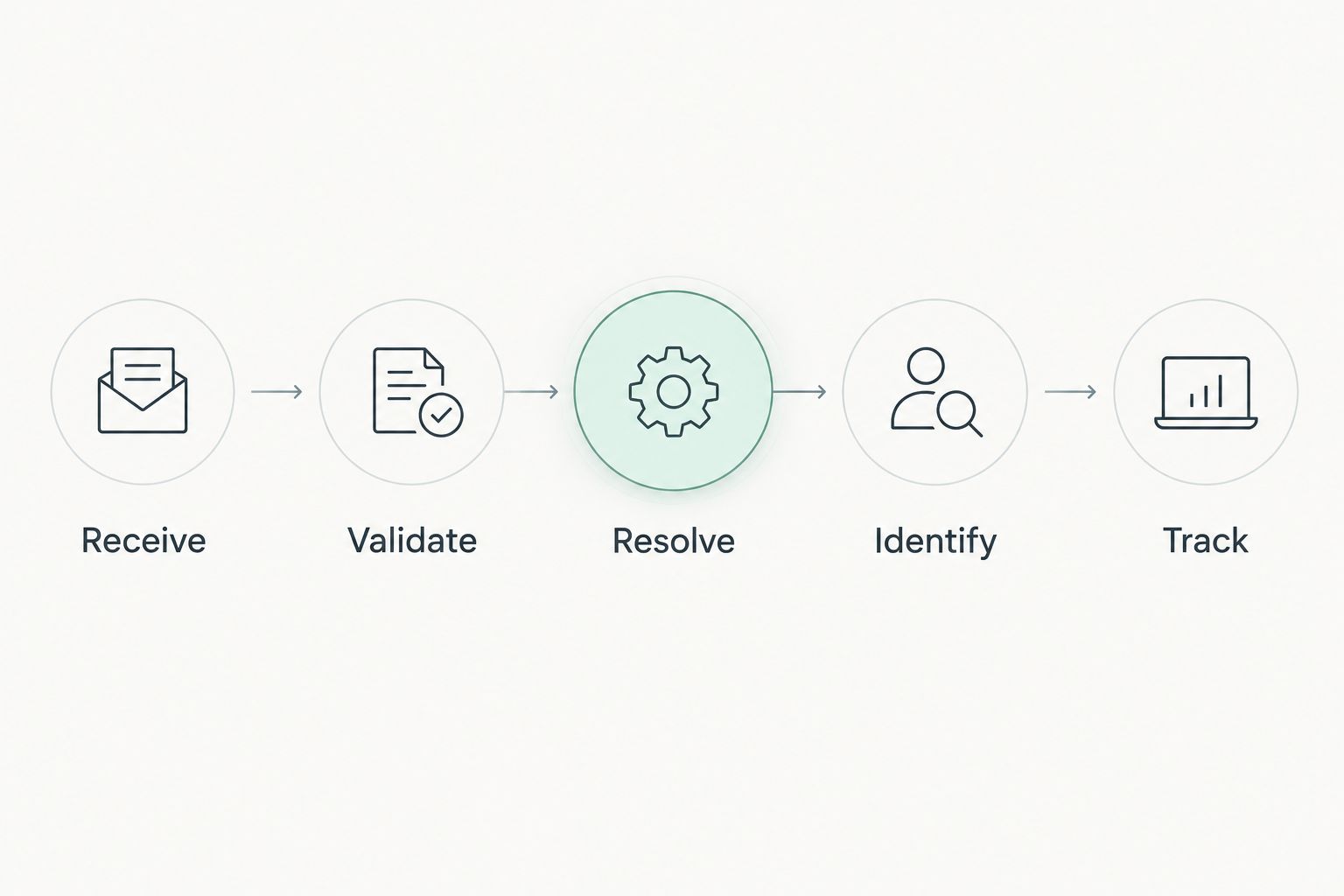
Send Identify and Track from a validated submission
- Receive the quiz completion in your backend. If your quiz platform sends webhooks, validate the sender using its documented verification method before accepting the payload.
- Validate required fields and normalize values against your submission contract. Reject malformed payloads rather than passing inconsistent data downstream.
- Resolve the stable customer identifier. Preserve an existing
anonymousIdwhere appropriate and permitted, rather than generating an unrelated browser identity on the server. - Send an Identify call containing the agreed
userIdand approvedtraits. - Send a Track call with the same identity, an event name such as
Quiz Completed, and the approved submission properties. - Record the submission's delivery state and handle retries through a persistent queue or equivalent delivery mechanism.
Expected result: One accepted quiz submission produces 2 API calls: an Identify call for profile attributes and a Track call for the completion history.
Identify and Track solve different problems. Identify describes the customer; Track records what happened. Sending only traits loses completion history, while sending only a completion event does not explicitly update the profile traits your destinations expect.
Keep submission acceptance separate from Segment delivery. After your backend safely stores an accepted response, a temporary downstream failure should enter the retry workflow rather than force the visitor to complete the quiz again.
Use a stable messageId for each logical outgoing message and retain it when retrying that message. Give Identify and Track their own message IDs. Also maintain submission-level idempotency in your backend; do not rely on destination behavior to prevent every duplicate action.
Validation and destination checks
Test the full journey, not just ingestion
- Run 3 test submissions: a new identified customer, a returning customer with a changed preference, and a repeated delivery of an existing submission.
- In Debugger, confirm the event name, identity fields, trait names, property types, and original submission timestamp.
- Check the destination's mapping for Identify traits and Track properties. Confirm that each required field arrives in the correct destination field.
- Inspect the resulting customer record. Verify that the returning customer's update reaches the intended record rather than creating a duplicate.
- Replay the repeated delivery through your relay. Confirm that your backend recognizes the existing submission and does not create another logical completion.
Expected result: A new response appears correctly, a returning response updates the intended customer, and a delivery retry does not become another business action.
Set an explicit launch acceptance rule: 1 accepted submission should create 1 logical completion event in your reporting design. Delivery retries are operational attempts, not additional customer activity.
For your 2026 launch record, retain redacted test evidence showing source receipt, destination delivery, and the final customer record. Do not treat a successful API response as proof that every destination mapped the data correctly.
Variant: update a preference after the quiz
A customer can change an answer after completing a quiz. Treat that edit as an update, not automatically as another completion.
Send a new Identify call with the same userId and the revised approved trait. Send a separate Track event, such as Quiz Response Updated, when your reporting needs a history of that change. Those event names are implementation examples, not Segment defaults.
| Workflow | Best for | Benefit | Trade-off |
|---|---|---|---|
| Completion sync | Initial response capture | Preserves the completed quiz and its original context | Does not describe later edits by itself |
| Update sync | Revised preferences | Keeps current profile attributes aligned with customer changes | Needs explicit rules for conflicting or delayed updates |
Define which response wins before enabling edits. If your intended rule is “latest submission wins,” compare original submission times before applying profile changes. A delayed retry of an older response should not overwrite a newer preference.
Keep the historical Track event unchanged. Correcting a current trait and preserving the original response history serve different purposes.
Troubleshooting
Events arrive, but customer records stay separate
Compare userId values across the quiz, existing website activity, and destination records. A campaign-specific identifier will not automatically match your customer database identifier. Review anonymous-to-known identity handling and any configured identity-resolution rules.
Traits appear in Segment but not in the destination
Inspect the destination's field mapping, supported types, and delivery errors. A destination can accept the event while ignoring an unmapped trait. Test the exact destination field rather than relying on the source payload alone.
One submission produces repeated completions
Check webhook redelivery, queue retries, and browser-plus-server tracking. Choose the authoritative completion path and deduplicate by submission identifier in your backend. Reusing a customer identifier alone cannot distinguish a retry from a genuine repeat participation.
An old preference replaces a newer answer
Inspect the original timestamps and processing order. Retries can arrive after later submissions. Apply your conflict rule before sending the profile update instead of assuming arrival order equals answer order.
Data reaches a destination that should not receive it
Review destination enablement, routing controls, and consent enforcement. A consent value stored as a trait is not itself an enforcement mechanism. Stop the inappropriate delivery path, investigate its scope, and correct the routing rules before resuming.
Customize your workflow
Once the core sync passes, decide what should happen after a qualified completion. Keep profile enrichment separate from email enrollment, sales handoff, and advertising activation; each action needs its own eligibility and consent rules.
For Brainylab marketing quiz briefs, specify the source event, identifier, approved fields, destination owner, and recovery behavior. The studio's custom-development model fits branded experiences, but this connection still requires technical implementation rather than an assumed plug-and-play connector.
In your 2026 maintenance plan, assign ownership for schema changes and failed-delivery alerts. A renamed answer option should trigger a mapping review before the next campaign launches.
Plan your quiz data workflow
Discuss the quiz experience, customer identifiers, and destination requirements for your implementation.
FAQ
How do I sync quiz data to Segment automatically?
Receive completed submissions in a backend, validate them, and send Identify and Track calls to Segment. Use consistent customer identifiers and test the destination mappings before launch.
Should quiz answers go into Identify or Track?
Put approved current profile attributes in Identify traits and submission-specific context in Track properties. Use a completion event to preserve the history of the quiz response.
Does sending an email address automatically unify Segment profiles?
An email address in traits does not guarantee profile unification. Use a consistent userId and verify the identity-resolution rules and destination matching behavior configured for your implementation.
Can I connect a quiz without a native Segment integration?
Yes, a backend or webhook relay can send supported Segment API calls. Your quiz must expose submissions through an authorized mechanism, and someone must maintain validation, credentials, and delivery handling.
How do I stop duplicate quiz completion events?
Deduplicate accepted submissions in your backend using a stable submission identifier. Preserve each outgoing messageId during retries, and avoid counting both browser and server events as separate completions.
Does collecting quiz answers give me marketing consent?
No, submitting quiz answers does not automatically establish permission for every marketing use. Define the permitted purposes and enforce the applicable consent and routing rules before sending data to destinations.
Can Brainylab help with a custom marketing quiz?
Brainylab builds marketing quizzes, games, and interactive experiences for brands. Include Segment delivery and customer identity requirements in your project brief rather than assuming a native connector is included.
One last thing
Test a returning customer before testing another new lead. A new record proves ingestion; a correctly updated existing record tests the identity connection that makes this workflow useful. Then repeat the test with an older submission delivered late to expose preference-overwrite problems before customers encounter them.