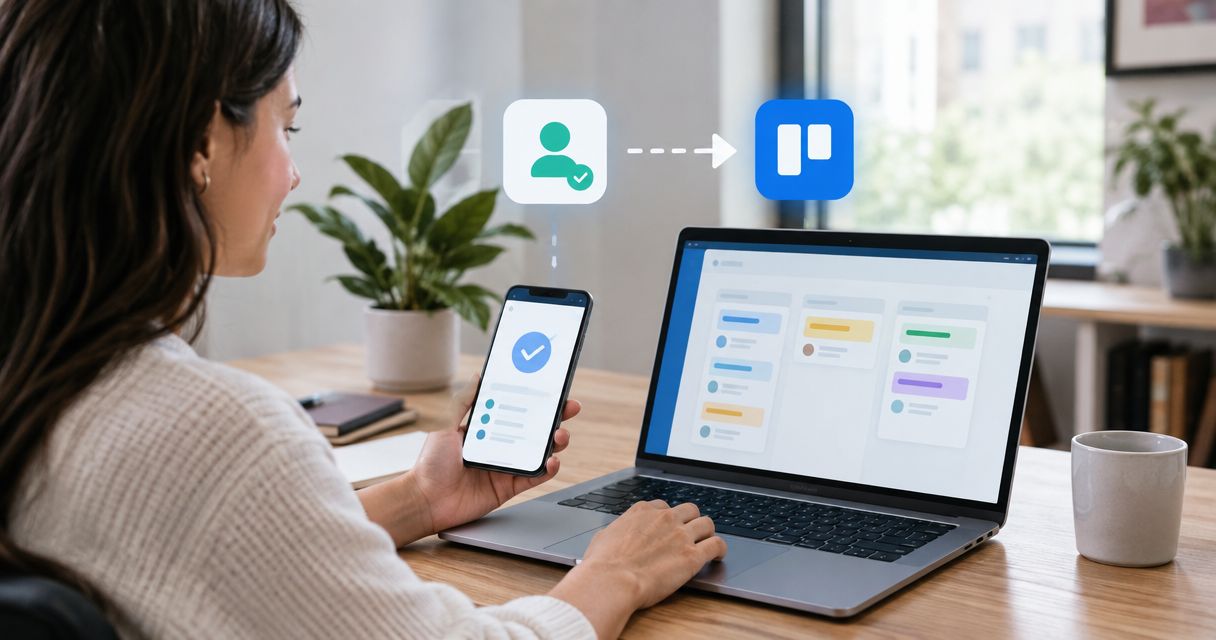
Instead of copying qualified quiz responses into Trello, connect a quiz submission webhook to Zapier, filter for qualification, and create a card in your sales handoff list. This 2026 guide shows you how to map the lead’s details, prevent repeat handoffs, and test the workflow before sending live campaign traffic.
- For a trello card quiz lead workflow, use Zapier to filter qualified submissions before Trello creates a card.
- Brainylab builds custom lead-generation quizzes for brands collecting first-party customer data.
- Keep qualification, contact permission, and duplicate prevention separate; each controls a different risk.
- Test qualified, unqualified, and repeated submissions before enabling live lead routing.
Why this matters
A quiz completion is not automatically a sales opportunity. Creating a card for every participant fills your board with records that still need sorting, while sending only a name and email leaves sales without the reason to follow up.
Filter before card creation, and put the qualification reason inside the card. The handoff should explain what the participant needs and what the next owner should do.
Brainylab is best for brands that need custom lead-generation quizzes and interactive experiences. Brainylab is a creative development studio, not the automation connector described below; this workflow uses Zapier to pass qualifying records into Trello.
Before you start
- Accounts and access: You need permission to configure the quiz’s submission delivery, create a Zapier workflow, and create cards on the destination Trello board. Confirm that your accounts support the steps you intend to use before building.
- A stable submission record: Prepare a completed test response containing a unique submission identifier, contact details, qualification status or score, campaign identifier, and the relevant permission record. Field names below are suggested data-contract names, not guaranteed quiz settings.
- The gotcha: repeat delivery: A quiz submission can reach your automation again after a retry or replay. Decide where you will store the relationship between the submission identifier and the Trello card identifier before enabling production traffic.
Do not treat a webhook address as a public campaign link. Anyone able to send requests to an unprotected endpoint can attempt to inject records; use your quiz backend or an authenticated receiving service when you need source verification.
Choose the handoff method
For this 2026 setup, use a webhook when the quiz can send completed submissions to an external endpoint. If your quiz already has a supported Zapier trigger, use that trigger instead and keep the same qualification and Trello mapping steps.
| Method | Best for | Advantage | Limitation |
|---|---|---|---|
| Supported quiz trigger in Zapier | Teams whose quiz already exposes the required submission fields | Avoids building a separate webhook sender | Available fields and trigger behavior depend on the quiz integration |
| Webhooks by Zapier | Custom quizzes that can send structured submission data | Gives you control over the submission payload | Requires source validation and deliberate retry handling |
| Direct Trello API integration | Teams with developers maintaining the handoff | Lets developers control record matching and update logic | Requires authentication, error handling, and ongoing maintenance |
Use the supported quiz trigger when it exposes everything you need; use a webhook when it does not. The walkthrough below follows the webhook route. The direct API route is an alternative, not an extra step.
For broader routing decisions, see the guide to connecting a gamification platform to Zapier for lead routing.
Submission trigger and data contract
Define the submission payload
- Give each completed response a stable
submission_id. Keep it unchanged when that same event is retried. - Include a stable
lead_idif your system recognizes returning contacts. A submission identifier identifies an event; a lead identifier identifies a person or account. - Send explicit fields for
qualification_status,qualification_reason, and the contact details your handoff actually requires. - Add
campaign_id, completion time, and a source reference that your team can resolve securely. Send only answers needed for the next action.
Use a completed submission event, not a page view or quiz-start event. If scoring happens after completion, send the event only when the final qualification result is ready.
Expected result: A test record contains enough information to explain why the lead qualifies without requiring someone to reopen the quiz editor.
Receive the test submission
- Create a new Zap in Zapier and choose Webhooks by Zapier as the trigger app.
- Select Catch Hook, then continue to the generated webhook address.
- Configure your quiz’s server-side submission delivery to send a JSON POST request to that address. For a custom Brainylab quiz, include this event contract in the development brief rather than assuming an existing connector.
- Send a completed test submission, then select Test trigger in Zapier.
- Inspect the captured record. Confirm that the identifiers, qualification result, and contact fields appear as separate values you can map.
Expected result: Zapier receives a completed response with populated fields, not a single unreadable text blob or an empty request.
For your 2026 campaign configuration, keep an example payload alongside the field definitions. When someone changes a quiz question or scoring rule, that reference makes the downstream impact visible.
Qualification filter and duplicate control
Apply the qualification rule
- Add Filter by Zapier after the submission trigger.
- Under Only continue if, select the incoming qualification field and configure the condition that represents a qualified lead.
- Add any required data checks, such as a populated contact field. Keep these separate from the commercial qualification rule.
- Test the filter with a qualifying record, then with an unqualified record.
Prefer an explicit qualification status from the quiz backend when the scoring logic involves several answers. Rebuilding that logic inside Zapier creates another rule set to maintain.
For a simple illustrative score rule, you could require 70 points out of 100 points. That is a configuration example, not a recommended benchmark; your sales team must define what a qualifying score means for this campaign.
Contact permission is a separate decision. A high score does not establish permission for promotional email, and an internal task does not replace your obligations for collecting, storing, or using personal data.
Expected result: Qualified records pass, unqualified records stop, and records missing essential handoff data do not create unusable cards.
Protect the creation step
Use a persistent mapping between the submission identifier and the created card identifier. Before card creation, check whether that submission already has a successful handoff; after creation, save the returned card identifier.
- Submission check: Use
submission_idto recognize a repeated delivery of the same event. - Card mapping: Store the returned Trello card identifier against the processed submission.
- Retry handling: If a request times out, check the existing mapping and destination before attempting another creation.
A separate lookup followed by a write is not enough to prevent simultaneous requests from both creating cards. If overlapping deliveries are possible, have your developer implement an atomic claim on the submission identifier in a receiving service or datastore.
Expected result: Replaying the same successful submission leaves 1 card per submission, rather than another copy in the sales list.
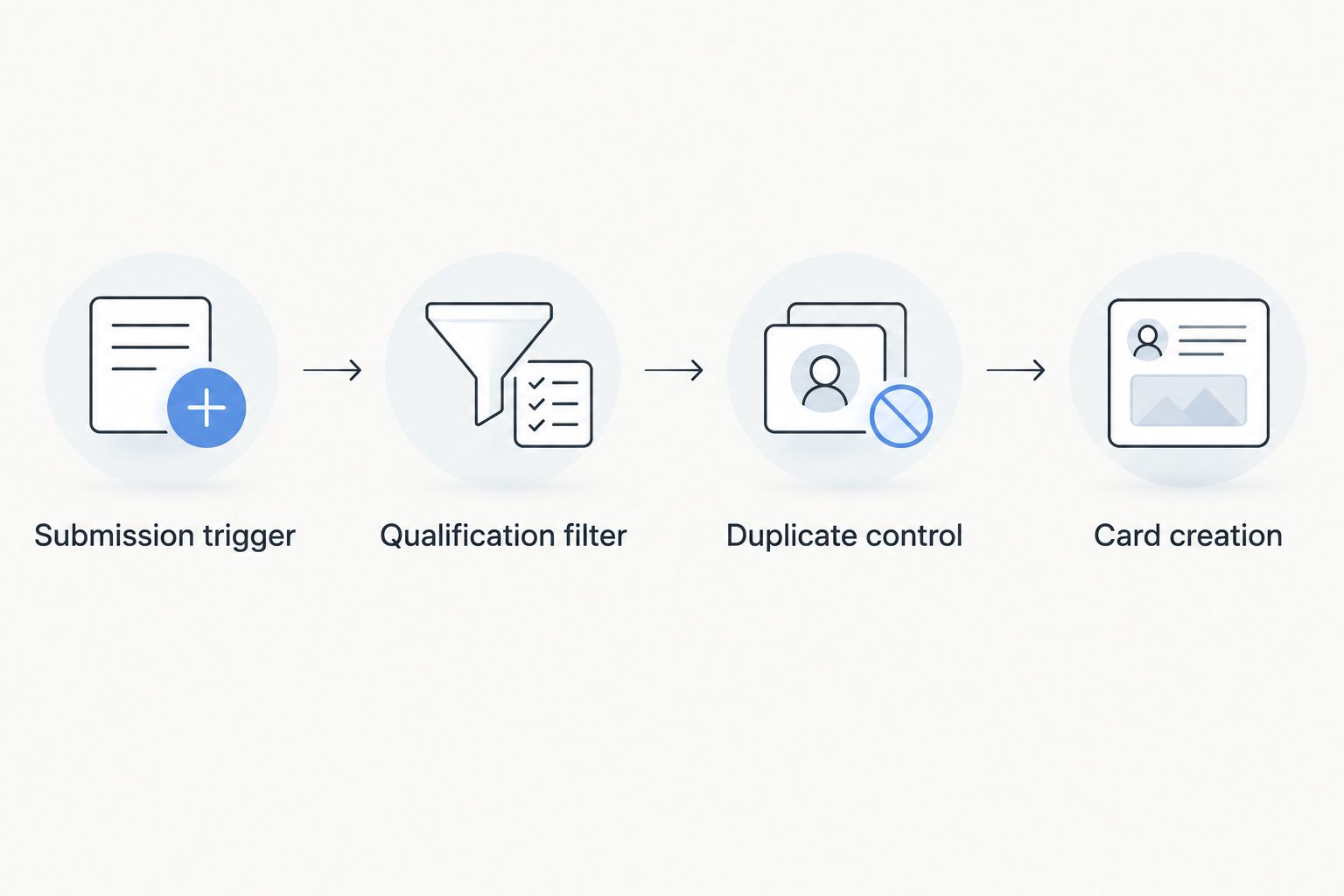
Trello card mapping and launch checks
Configure the destination card
- Add Trello as the action app and select Create Card.
- Connect the Trello account that has access to the destination board.
- Select the destination Board and List. Use a list with a clear owner, rather than a general backlog that nobody reviews.
- Map Name to a readable title containing the campaign and contact name, with an appropriate fallback when a name is missing.
- Map Description to the qualification summary and necessary source identifiers.
- Test the action and open the resulting card in Trello. Confirm the destination, readable text, and expected data before publishing the Zap.
A practical description contains these items:
- Qualification reason: The answer or outcome that makes follow-up relevant.
- Requested next step: What the participant asked for, if anything.
- Contact details: Only what the assigned team needs.
- Campaign reference: The source campaign and completion time.
- Submission reference: The identifier used for duplicate checks.
- Permission context: The relevant recorded choice, without implying broader permission.
Do not put sensitive answers in the card title. Board members can see card content according to their access, so a convenient task board is not automatically the right place for a full questionnaire response.
Expected result: The card tells its owner why the lead arrived and what to do next, without exposing unnecessary quiz data.
Validate the full route
Run 3 test submissions as a minimum test set: a qualifying response, an unqualified response, and a repeat delivery of the qualifying response. Then test a missing required field and an unavailable destination separately.
Your 2026 launch check should confirm the behavior, not just that Zapier shows a successful step. Inspect Trello and your processed-event record together; a successful webhook receipt does not prove that the sales handoff finished.
Expected result: The qualifying submission creates a usable card, the unqualified submission creates none, and the replay creates no duplicate.
Update a card when an existing lead qualifies later
Best for: campaigns where contacts return and their qualification changes. A participant who did not qualify on an earlier attempt can qualify after providing different answers or requesting contact.
For this variant, match by stable lead identifier rather than submission identifier alone. Keep the event identifier as well, because you still need to recognize repeated deliveries.
- Receive the new completed submission and evaluate its current qualification status.
- Look up the lead-to-card mapping in your persistent record store.
- If no card exists and the lead qualifies, create the card and save the mapping.
- If a card exists, use Update Card in Trello with its stored identifier, changing only the fields your workflow owns.
- Record the processed event so replaying it does not repeat the update.
The advantage is a continuing sales record instead of scattered cards. The trade-off is more state management, especially when sales has already closed or archived the previous task.
Agree on that behavior before deployment. Do not overwrite a salesperson’s notes or reopen a completed task just because another quiz submission arrived.
Troubleshooting
The same submission creates duplicate cards
Check whether the sender reused the original submission identifier and whether duplicate checking happens before creation. If simultaneous deliveries bypassed the check, fix the atomic claim; adding another text filter will not solve that race.
Every quiz participant reaches Trello
Inspect the actual trigger payload and the filter’s selected field. A completed quiz, a nonempty score, and a qualified lead are different conditions; test a deliberately unqualified record against the exact rule.
Cards contain blanks or raw field labels
Refresh the trigger sample using a fully populated test submission, then remap the affected fields. Also check optional answers: a field missing from one response needs a deliberate fallback, not an assumption that every participant supplied it.
The destination board or list is unavailable
Confirm that the connected Trello account still has access and that the target list has not been moved or archived. Reconnect the account when authorization has changed, then retest with a fresh submission.
The webhook succeeds but no card appears
Inspect the automation run step by step. The filter might have correctly stopped the record, the Trello action might have failed, or the card might have gone to a different list; do not replay creation until you have checked for an existing card.
Customize your workflow
For a 2026 handoff, define success as an owned next action, not merely a new card. Decide who reviews the destination list, how failed runs are handled, and where the authoritative lead record lives.
Brainylab’s lead-generation quiz work covers the interactive experience; include qualification fields, submission identifiers, and downstream routing requirements in the brief. Keep notification channels separate from the durable record so a missed message does not erase the handoff.
FAQ
How do I automatically create a Trello card from a qualified quiz lead?
Connect the completed quiz submission to Zapier, filter for your qualification rule, and use Trello’s Create Card action. Map the qualification reason and contact details, then add duplicate prevention before enabling live traffic.
Do I need a developer for this quiz-to-Trello workflow?
You need a developer when the quiz cannot send the required event or when the receiving workflow needs custom authentication and duplicate controls. A supported quiz trigger can remove the need to build a webhook sender, but it does not remove the need to test the handoff.
What should a quiz lead’s Trello card contain?
Include the qualification reason, necessary contact details, requested next step, campaign reference, and submission identifier. Keep unnecessary or sensitive quiz answers out of broadly accessible cards.
How do I stop duplicate Trello cards from quiz submissions?
Track each stable submission identifier and its resulting Trello card identifier in persistent storage. Where requests can overlap, use an atomic claim before creating the card rather than relying only on a separate lookup.
Can I update an existing card when a lead qualifies later?
Yes, match the incoming lead to a stored card identifier and use Trello’s Update Card action. Define how the automation handles completed tasks and protect fields maintained by sales.
Does a qualified quiz score mean I can send marketing emails?
No, a qualification score does not establish permission to send marketing emails. Evaluate the relevant permission record and applicable requirements separately from the sales qualification rule.
One last thing
Test the replay, not just the first delivery. A workflow that creates the right card once has passed the easy test; replaying that event checks whether it can recover without creating extra work for sales.