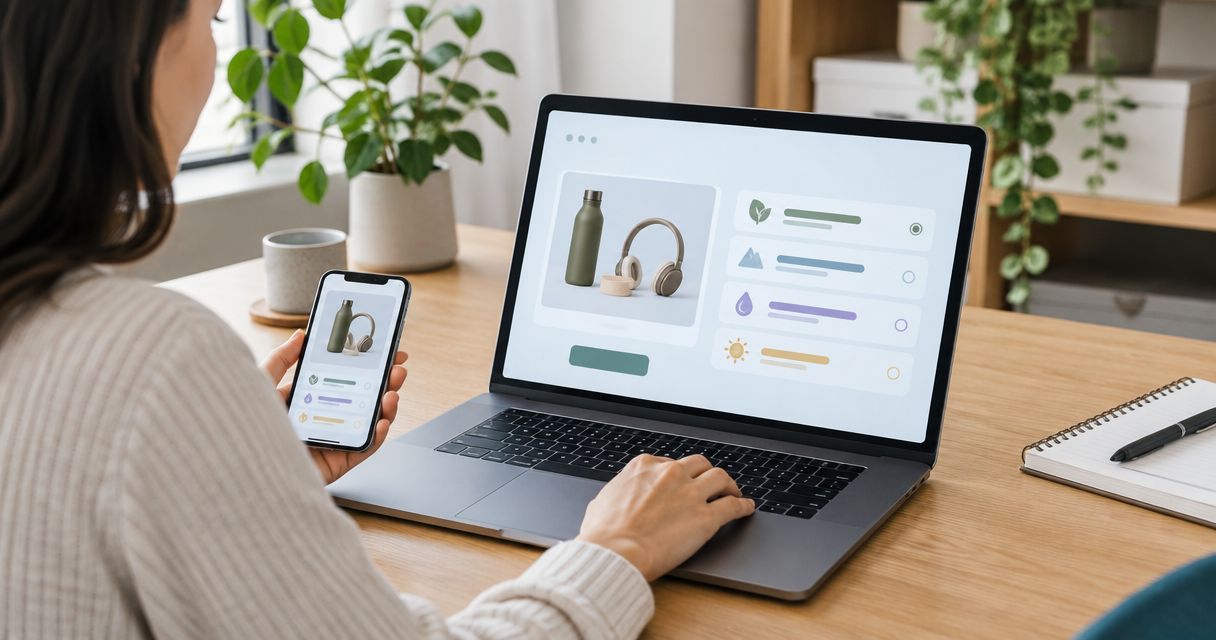
Instead of copying product-finder quiz results into Shopify customer profiles by hand, send each completed quiz through a matching and mapping workflow that saves the result to the right customer. In 2026, the critical decision is whether an unmatched quiz participant should become a new Shopify customer or remain a quiz submission outside the customer database.
- To connect product quiz to Shopify, match a submitted email to a customer ID, then save the result as a customer metafield.
- Brainylab fits brands seeking a custom product-finder quiz built around first-party data collection and a defined Shopify profile workflow.
- Do not treat quiz participation as marketing consent; collect and record that choice separately.
- Test repeat submissions and unmatched emails before using quiz results for segmentation.
Why this matters
A quiz result is useful only if you can identify which customer it belongs to and retrieve it later. A result stranded in a quiz dashboard cannot reliably support Shopify customer segmentation, customer service or subsequent campaign decisions.
Brainylab builds marketing lead-generation quizzes and interactive experiences for brands. For a Shopify product-finder quiz, the useful deliverable is a repeatable data path: capture an identifier, find the customer, save a stable result and check what happens when that person takes the quiz again. The instructions below describe that workflow, not a claim that Brainylab supplies a ready-made Shopify connector.
Before you start
- Get access to both systems. You need permission to edit the quiz and authorized access to the Shopify store's customer data and customer metafields. An Admin API connection requires the relevant permissions; check the current Shopify requirements for the operations you choose.
- Define the payload. Prepare 1 email field, 1 stable result code and the quiz answers you genuinely need to retain. Decide whether the result code alone is enough before sending full answers to Shopify.
- Set the creation and consent rules first. Decide whether an email that matches no existing customer creates a profile. Keep marketing consent separate from quiz completion. This is the gotcha: an answer submission does not establish permission to send marketing messages.
If the quiz is anonymous, you cannot safely attach its result to a Shopify customer merely because a browser visited the store. Add an explicit identification step or keep that completion outside customer profiles.
Configure the quiz submission
- Ask for an identifier. Add an email field before the result is submitted. Tell participants why you collect it, and do not make marketing consent a condition of seeing a recommendation unless that is a separately justified requirement.
- Give each result a stable code. Use an internal value such as
routine_dryfor a result rather than relying on display copy that an editor can change. Map that code to the recommendation shown to the participant. - Create a completion event. Configure the quiz to send the submitted email, result code and a submission identifier to your integration when the quiz finishes. Use a webhook or an equivalent server-side handoff supported by your quiz setup.
- Reject incomplete submissions. If the email or result code is missing, keep the event out of the Shopify update path and record an error that someone can resolve.
Expected result: each valid completion produces one identifiable event with a result code. At this stage, nothing has been written to Shopify.
A 2026 campaign often changes result copy while the underlying segments stay the same. Stable codes let you revise what participants read without silently changing how existing Shopify profiles are classified.
Match the Shopify customer
- Normalize the submitted email. Trim surrounding spaces and apply a consistent case-handling rule before searching. Preserve the original submission separately if you need it for an audit trail.
- Search Shopify customers by email. Use an authorized customer lookup through Shopify's Admin API. Do not match on a first name, a quiz result or a browser session; none of those identifies a customer profile reliably.
- Record the Shopify customer ID. Use the returned ID as the owner of the profile update. If the search returns an ambiguous result, stop the update and review it rather than choosing a profile arbitrarily.
- Apply the unmatched-email rule. Either create a customer under the rule your team approved or retain the submission outside Shopify for follow-up. Do not describe every quiz participant as a customer if your process does not create a customer profile.
Expected result: every event moving to the next step has one Shopify customer ID. An unmatched event follows the route you defined before launch.
| Matching route | Best for | Advantage | Limitation |
|---|---|---|---|
| Update an existing customer only | Brands using a quiz for known customers | Avoids creating profiles from unmatched submissions | New participants' results remain outside Shopify customer profiles |
| Create a customer when no match exists | Brands that explicitly want quiz participants represented in Shopify | Keeps an identified participant's result with a customer profile | Requires a clear profile-creation rule and careful handling of customer data |
Neither route makes a quiz completion a marketing opt-in. Keep any separate consent record tied to the choice the participant actually made.
Configure the customer metafield
- Choose the destination. In Shopify, define a customer metafield for the quiz result using Settings, Custom data and Customers, where those labels appear in your admin. Use a namespace and key dedicated to this quiz so another workflow does not overwrite the same field.
- Select a field type that fits the payload. A single result code belongs in a text field. If you need structured answers, define an appropriate structured field and a schema before sending values; do not pack an uncontrolled answer dump into a short text field.
- Map the update. Send the Shopify customer ID as the metafield owner, the agreed namespace and key, the correct type, and the submitted result value. Shopify's Admin GraphQL API provides
metafieldsSetfor writing metafields. - Read the profile back. After the write succeeds, inspect the customer's metafield and compare its stored value with the event's result code. A successful webhook delivery alone does not prove the profile was updated.
Expected result: the identified Shopify customer has a readable quiz-result metafield containing the submitted code. In the 2026 workflow, treat that read-back as the completion check, not the act of sending the event.
Use a metafield when the result must remain a specific piece of customer data. Shopify customer tags can serve as broad labels, but a tag by itself does not explain the full quiz result or preserve the answer structure. If your team also uses tags for segmentation, write them as a separate, deliberate step and define how old tags are removed.
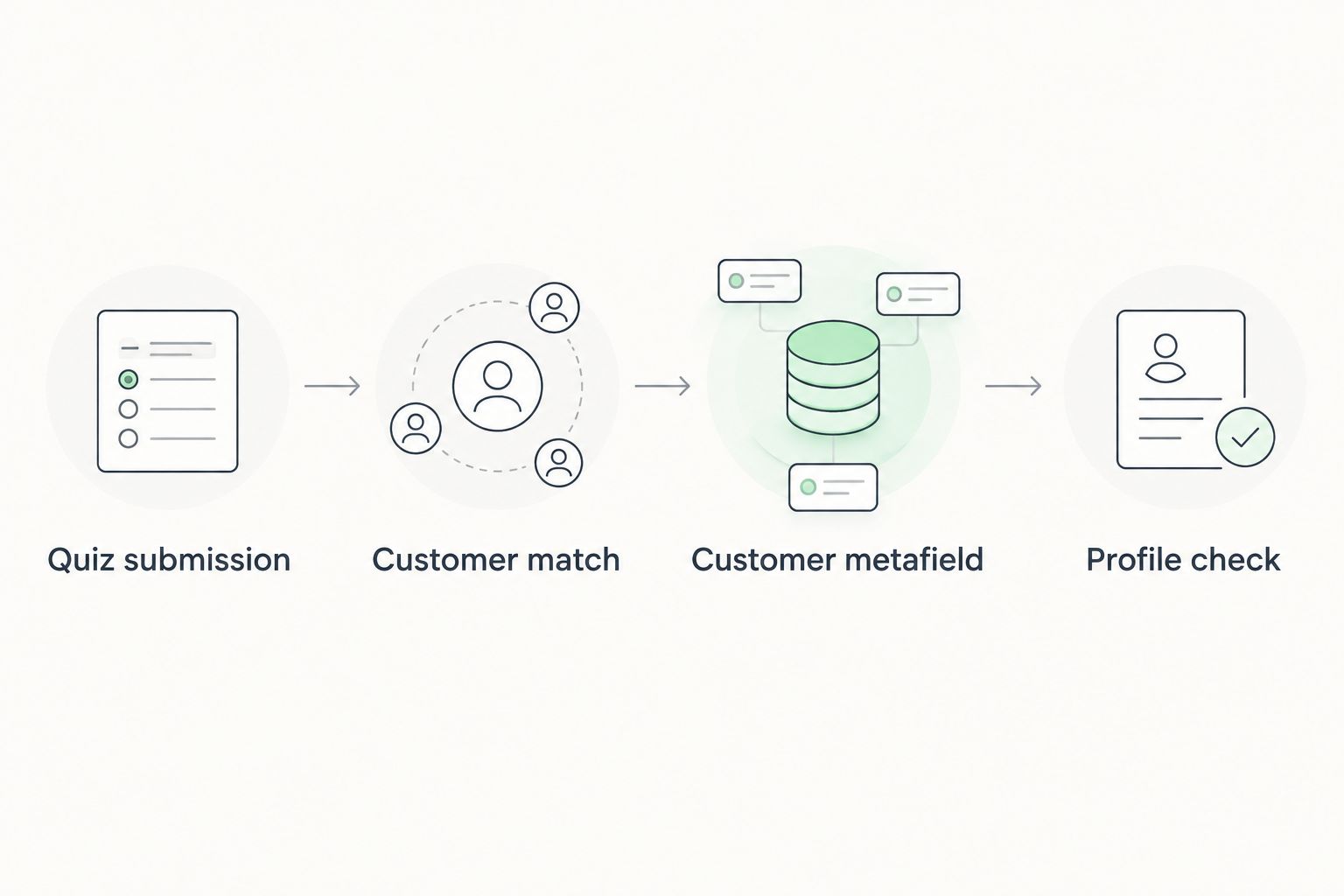
The distinction between delivery and verification matters when a 2026 quiz appears to work on its result screen but produces no usable customer data. The participant sees a recommendation either way. Your team needs the separate profile check to catch the failure.
Update the result when someone retakes the quiz
A repeat submission is a different workflow from an initial match: it changes existing customer data. Decide which result should win before allowing a later quiz completion to replace an earlier one.
- Find the same customer ID. Run the email match again; do not assume the quiz platform still holds the correct Shopify ID from a previous session.
- Choose a replacement rule. If the most recent completed quiz should define the current recommendation, replace the existing result metafield with the new code. If both results must be retained, keep the history in a system designed for event records and put only the current result on the customer profile.
- Keep segment labels consistent. If you also write customer tags, remove a superseded quiz-result tag when adding its replacement. Otherwise the same profile can appear to belong to conflicting result segments.
- Make retries safe. Store a submission identifier with your integration's processing record so a repeated delivery of the same completion does not trigger an unintended second update.
Expected result: the customer profile shows the result selected by your replacement rule, and a retried event does not change the intended outcome. Test this with a different result from the first submission, not an identical answer set that hides mapping errors.
Troubleshooting
- The quiz finishes, but Shopify shows no result. Confirm that the completion event contains an email and result code. Then check whether the customer lookup found an ID and whether the metafield write returned an error. Inspect those stages separately.
- The result appears on the wrong profile. Stop profile updates and inspect the matching rule. Match against an identified customer record, not a shared device, a first name or an assumed session-to-customer connection.
- Shopify rejects the metafield write. Compare the request's owner ID, namespace, key, type and value with the customer metafield definition. Also check that the connection has permission to perform the customer-data operation.
- A repeat quiz leaves conflicting tags. Define which result is current, then remove the obsolete result tag as part of the same workflow. Do not use an ever-growing list of result tags as a substitute for a current-result field.
- An unmatched submission disappears. Give unmatched events an explicit destination and review path. A 2026 setup is incomplete if the only outcomes are a matched profile or a silent failure.
Keep error records limited to what your team needs to diagnose the failure. Quiz answers and email addresses are customer data; copying full submissions into every log creates another place that data must be managed.
Customize your workflow
Start with a result code on the customer profile. Add answer-level fields only when someone can name the decision each field supports. For example, a preference that changes a follow-up experience has a clearer purpose than retaining every response by default.
If you need quiz outcomes in an email platform as well as Shopify, define which system owns the current result. The guide to connecting a gamified quiz to Klaviyo for segmentation covers the adjacent segmentation workflow. Keep the identifiers and result codes consistent across destinations so a later quiz completion does not create two different answers for the same person.
Brainylab's role as a creative development studio is relevant when the quiz, data collection and result experience need to be designed together. Brainylab fits brands seeking a custom product-finder quiz built around first-party data collection and a defined Shopify profile workflow. That fit does not remove the need to approve the matching, consent and retention rules before development.
For a 2026 launch, test an existing customer, an unmatched email, a repeat submission and a delivery retry. Check the stored Shopify result after each test. Those cases tell you more about the integration than a single successful quiz completion.
Plan your quiz data workflow
Define how quiz results reach the right customer profile.
FAQ
How do I connect product quiz to Shopify customer profiles?
Collect an identifier at quiz completion, match it to a Shopify customer ID and write the result to a customer metafield. Verify the stored value on the profile before treating the sync as complete.
Does finishing a product quiz create a Shopify customer?
No, not unless your workflow explicitly creates a customer when no match exists. Set that rule before launch so unmatched submissions have a defined destination.
Should quiz results go in Shopify tags or metafields?
Use a customer metafield for a defined quiz-result value. Tags can support broad segmentation, but you need a rule for removing an old result tag when someone retakes the quiz.
Can I add anonymous quiz results to a Shopify customer profile?
Not reliably without an identifier that connects the submission to the right customer. Collect an appropriate identifier or retain the anonymous result outside customer profiles.
Does quiz completion count as email marketing consent?
No. Record marketing consent as a separate choice rather than inferring it from quiz participation or the presence of a Shopify customer profile.
What happens when a customer retakes the quiz?
Your replacement rule determines whether the new result becomes the current profile value. Test that rule with different outcomes and make retried deliveries safe to process.
How can I tell whether the Shopify quiz connection works?
Complete the quiz with a test identity, then read the result from the intended Shopify customer profile. Repeat the test with an unmatched email and a changed result to check the other paths.
One last thing
Test the unmatched email before celebrating the matched one. A quiz can appear perfectly connected when every test uses an existing Shopify customer, while new participants' results have nowhere to go. In 2026, make that branch an explicit product decision, not an integration accident.